This article will show you how to upload your website files using the File Manager on cPanel.
1. Log in to cPanel
2. Go to the File Manager. You can do this by using the search bar or scrolling down to the Files section
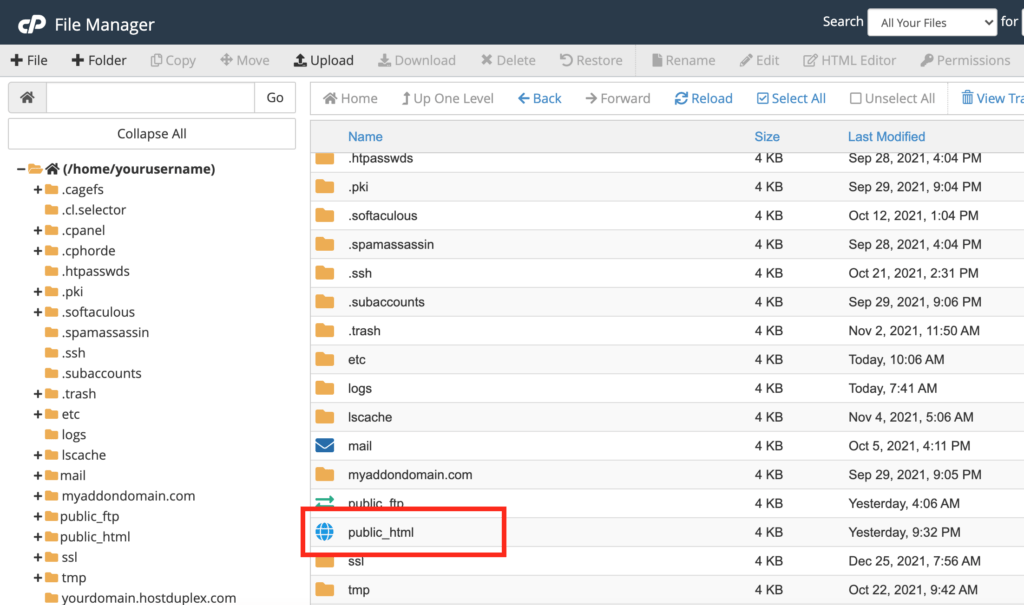
3. Go to the /public_html directory
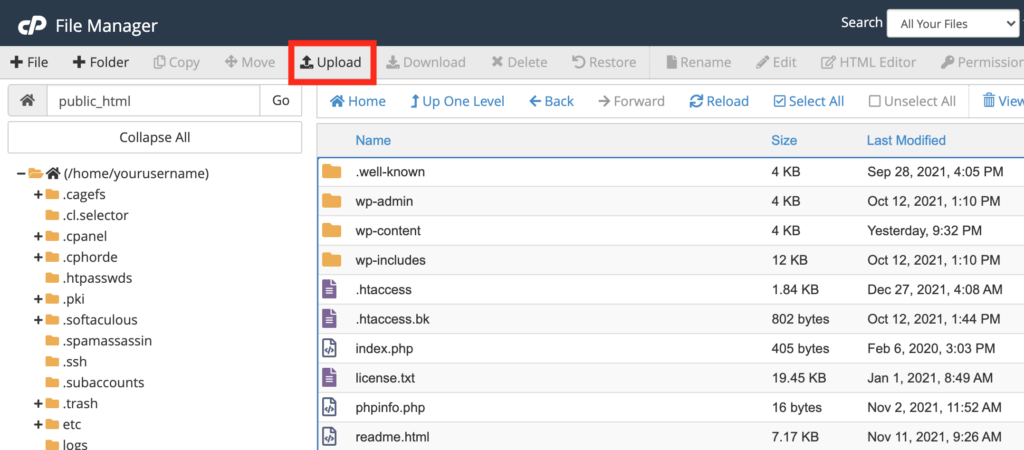
4. Click on the Upload button at the top
5. This will take you to the following page. From here you can begin uploading all of your files
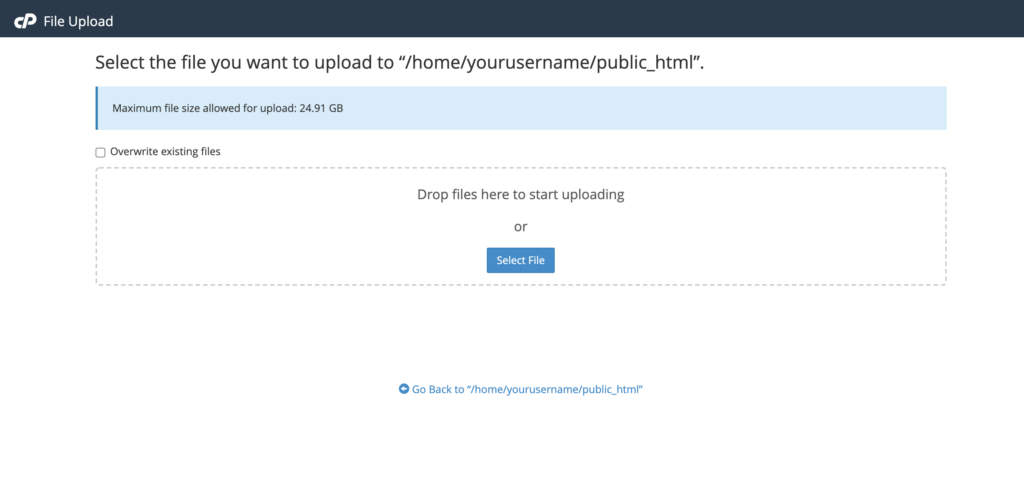
6. Once they files are done processing, you can click on the Go back to “/home/yourusername/public_html” button at the bottom of the page.